Ordering Built at On Point Pizza
Your own order page, and one screen that shows the whole night.
Online ordering that reads your Clover, so it's your menu at your prices with no commission on your own customers. Behind it, one kitchen screen where phone, online and counter orders land together, and a counter that keeps the slice case honest.
Fifteen minutes with Chris, the owner of On Point. He shows you his own shop running on it.
Runs in the browser on any tablet. The order page is a link you put on your site, your Google listing and your Instagram. Nothing to install.
Your prices, from your registerChange a price on Clover and the order page changes with it. There is no second menu to keep up.
No commission on your own customersPart of Line, $129 a month. Not 15 to 30 percent of every ticket.
One screen for the kitchenPhone, online and counter orders on one screen, with the oven count across the top.
Online ordering the way the big chains do it
Built to the standard your customers already expect from the apps on their phone. Two typed fields at checkout. Everything else is a tap.
Your menu, with a photo on every item
The order page reads your Clover: every item, every size, every topping, at your real prices. Most ordered at the top, a search box, and a sticky row of categories so a customer finds the Greek salad without scrolling past forty pizzas.
Half and half pizzas with Whole, Left and Right on every topping. Required choices marked "Pick 1" so nobody checks out without a crust. A note box for the thing they always ask for.
| Topping | Whole | Left | Right |
|---|---|---|---|
| Pepperoni | ✓ | ||
| Mushroom | ✓ | ||
| Onion | ✓ | ||
| Sausage |
Pay at pickup, or pay now. Both without the cut.
A customer can pay at the counter, cash or card, or pay online with a card through your own Clover account. Apple Pay and Google Pay when you turn them on. The total they see is the real total, tax in, before they tap.
Tips at checkout are 10, 15, 20 or none, and they go into your tip pool with the rest. One add on row under the order, drinks when there's no drink, sides when there's no side. Nothing is added for the customer, ever.
| Large pepperoni, half mushroom half onion | $23.50 |
| Garlic knots | $6.00 |
| Tax | $2.36 |
| Total | $31.86 |
Order now, or for Friday at six
A customer can order for later, and the kitchen's own blocks decide what's open. If Friday six to seven is already full, they're offered six thirty. Orders for later release to the kitchen screen when they're due, not when they're placed, so nothing sits on the board for four hours.
The tracker shows four stages with the kitchen's real times: received, in the oven, ready, picked up. The "ready" comes from the screen in your kitchen, not from a timer.
| Received | 5:21 pm |
| In the oven | 5:48 pm |
| Ready | about 6:00 |
| Picked up |
Your usual, in one tap
A customer signs up with a texted code, no password, no app to download. Next time, their last order is at the top of the page and one tap puts it in the cart. Regulars reorder in ten seconds.
One deal at a time, set on the Menu screen: a locals discount, a Beat the clock on Tuesday, a special for the week. The phone and the order page both sell it. Rewards are built in too: points, a free order after ten, or a percent off, whichever your shop picks.
| Two Detroit pepperoni, one Greek saladLast ordered Friday | Order again |
| Locals 10%Ask at the counter, or it's already on | On |
What it looks like
Screens straight from the app. The order page is On Point's own, live today.
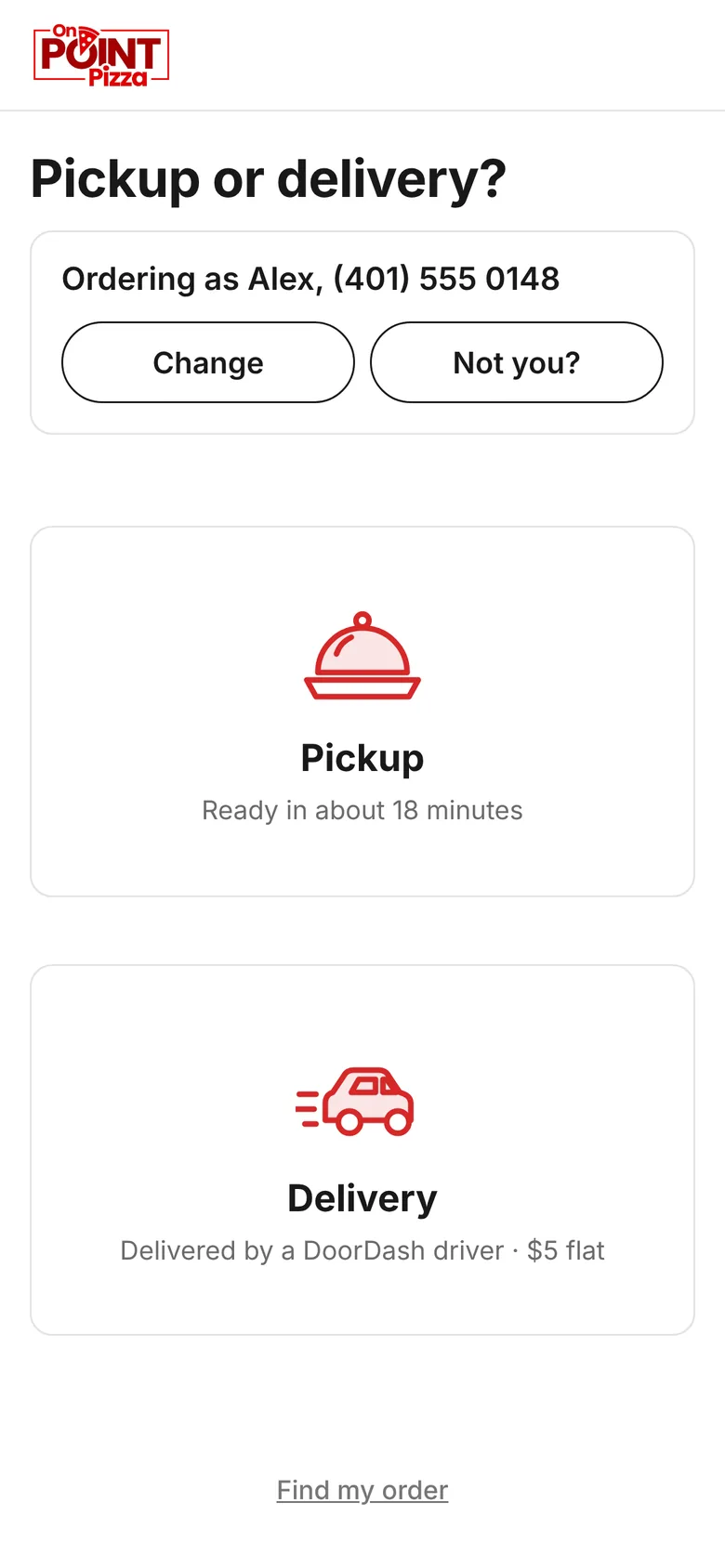
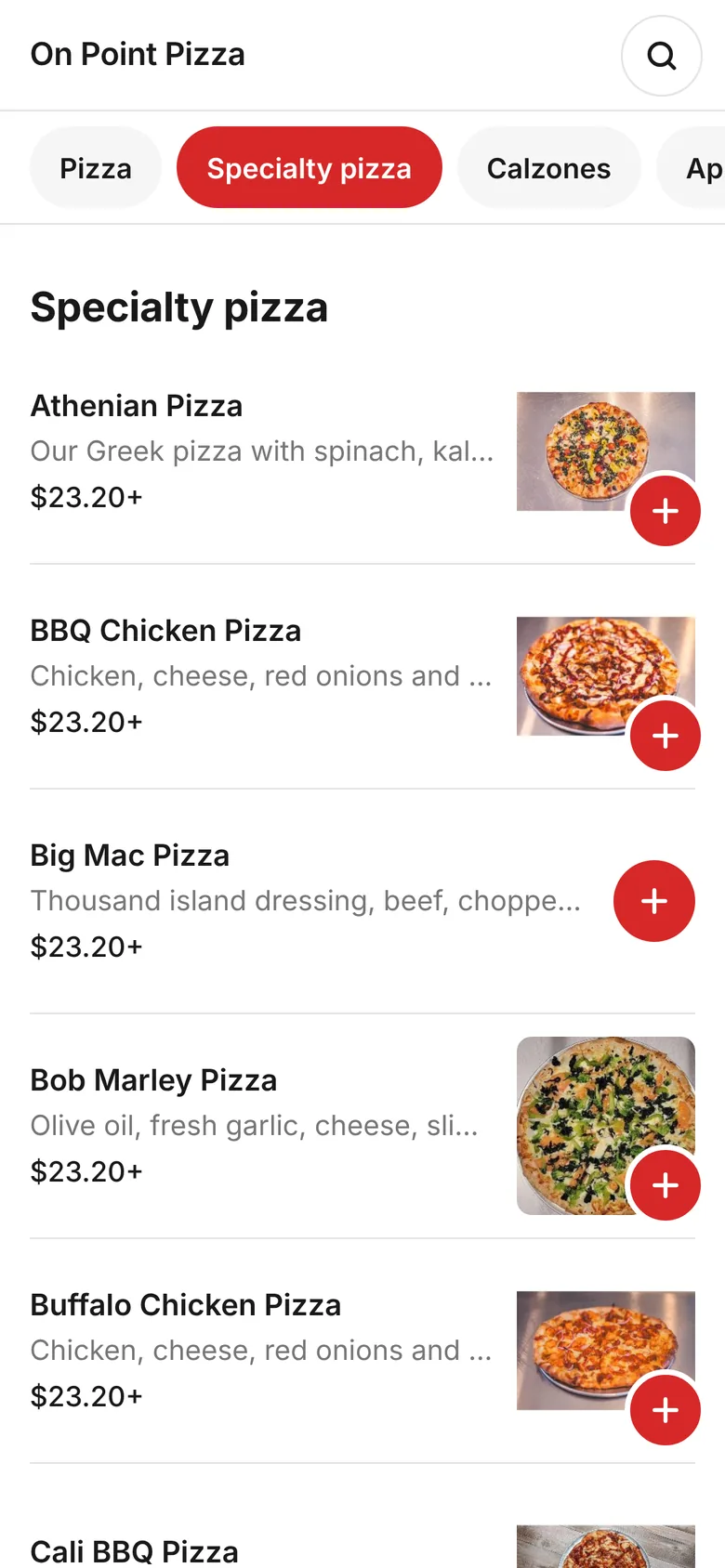
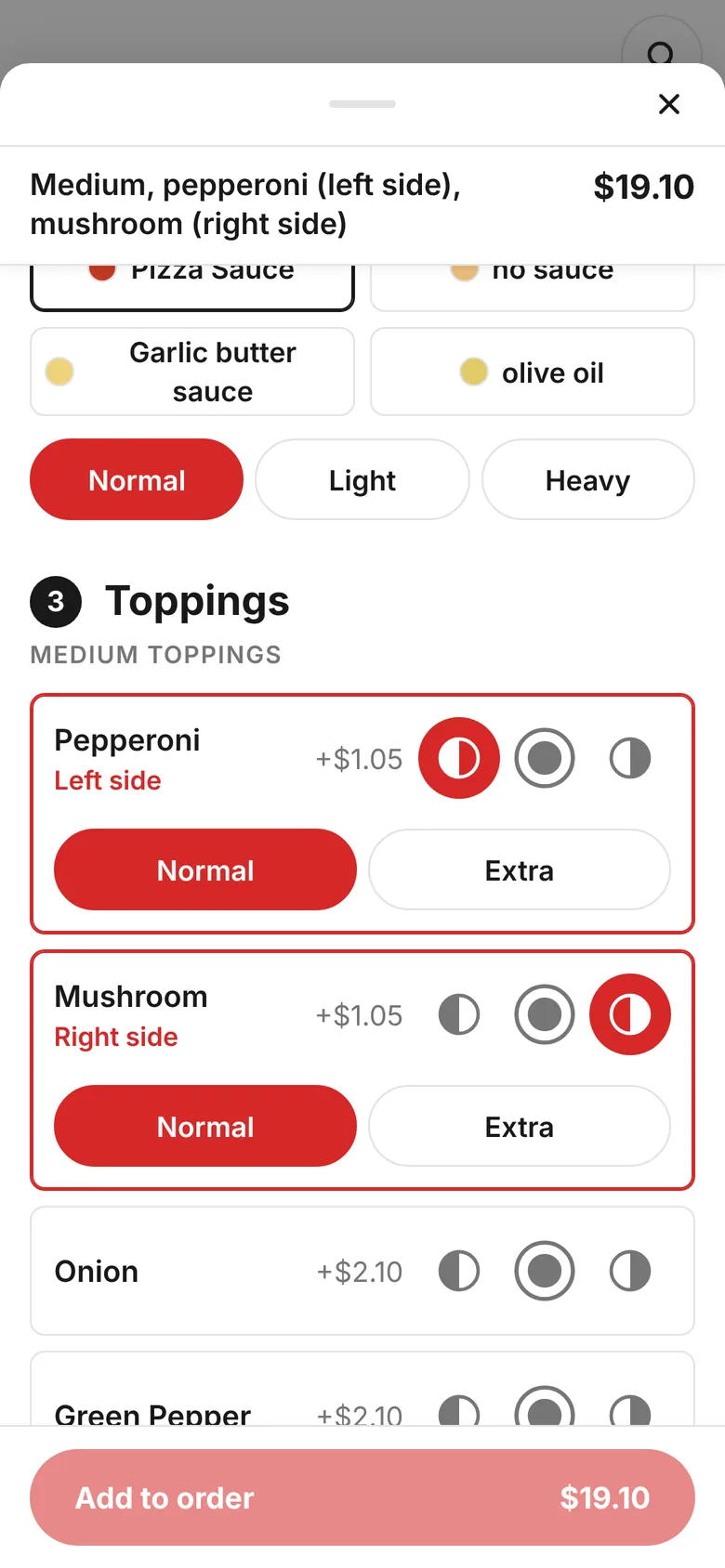
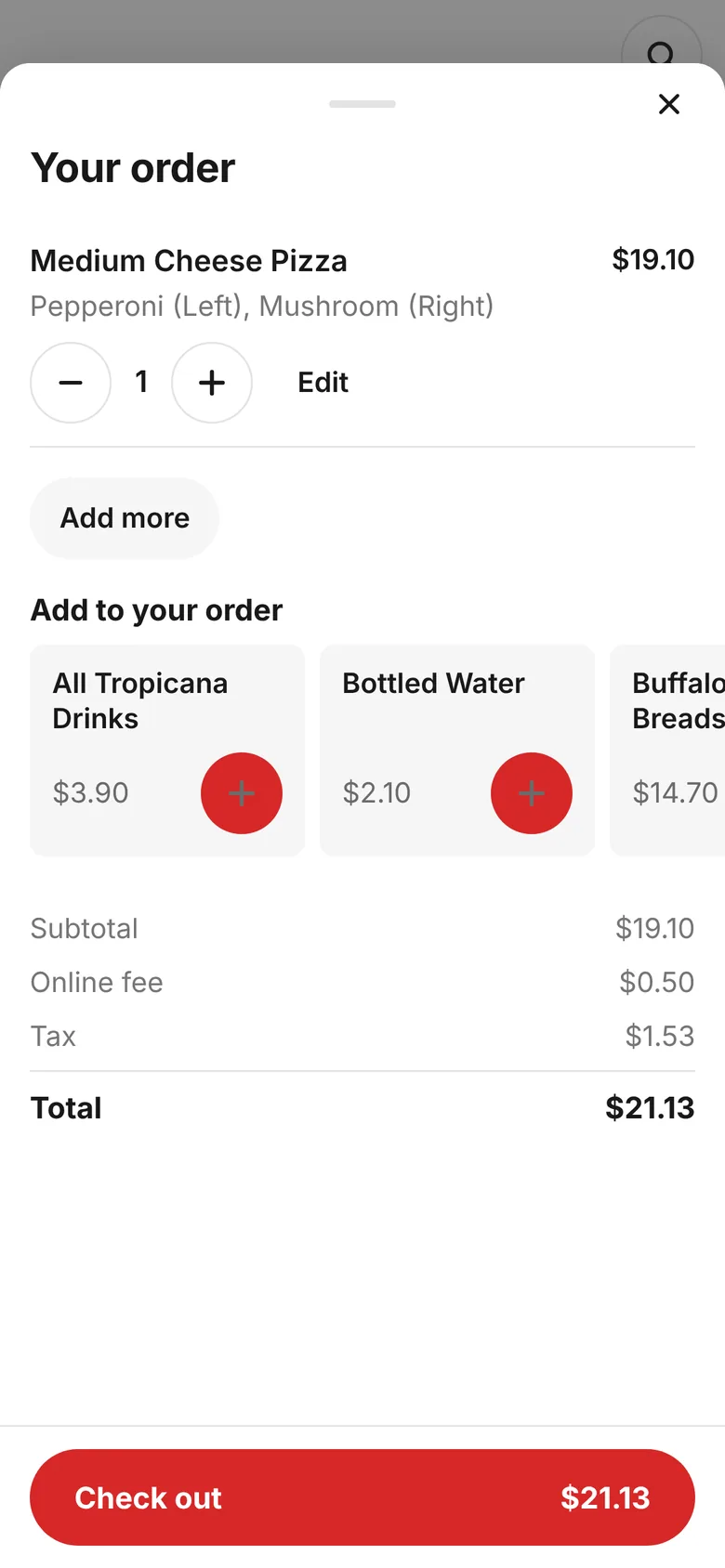
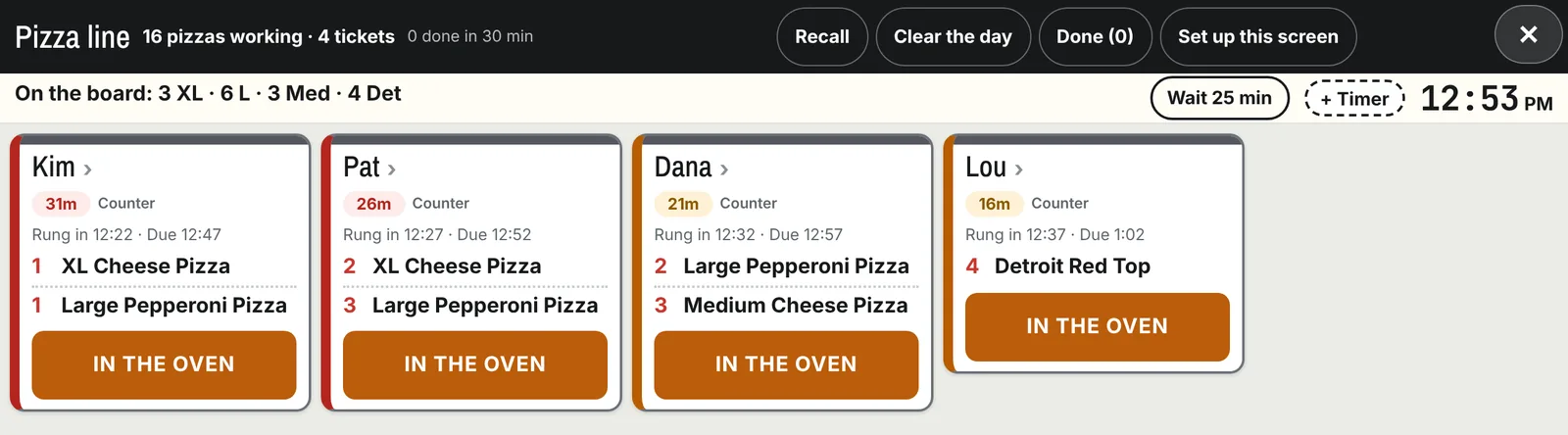
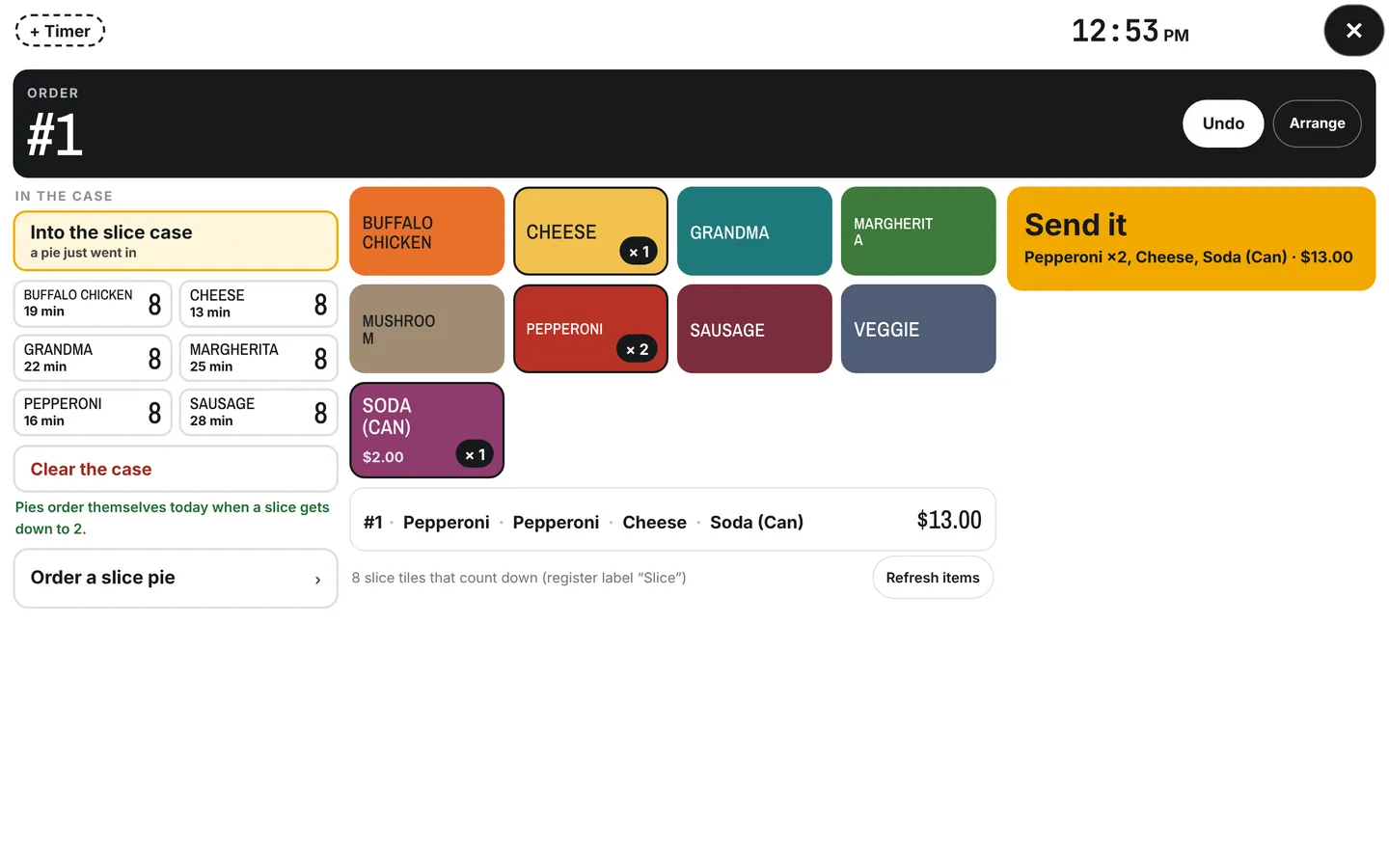
Swipe for more. The order page is On Point's; the kitchen and counter show a sample shop.
One kitchen screen
Every order, from every door, on one screen. Point any tablet at it and it becomes a kitchen screen. The paper ticket still prints for the line if you want it.
| Order | What | Due |
|---|---|---|
| MikePhone · 7:04 | L pepperoni · 6 pc fingers | 7:45 |
| DanaOnline · for 7:30 | 2 Det pepperoni · Greek salad | 7:30 |
| Counter 14Walk in | XL cheese · XL half mush | 7:40 |
| SamDoorDash | L buffalo chicken | coming |
- The running count across the top"4 XL · 6 L · 3 Med · 4 Det." The oven sees what's coming before it's stretched. The owner's words: the number that tells you where you actually stand.
- Tap it when it goes inand it drops off every screen in the building. No shouting across the kitchen, no second screen to clear.
- Tonight's wait, set oncea plus and a minus on the screen. The phone quotes it on the next call and the order page shows it at checkout.
- Orders for later show up when they're duenot when they're placed. The 6 PM Friday order lands at 5:25, not at noon.
- Third party ordersDoorDash, Uber Eats and Grubhub on the same screen, with the real prep time sent back and 86s pushed to every app the moment an item runs out. Being finished now.
The counter, and a slice case that keeps its own clock
The counter screen rings slices and quick orders with one tap each and sends them to the register. Every pie that goes into the case gets a time. The screen shows every pie by age, and when a fresh one goes in, the stale slices of that kind are tossed on the spot, counted, not guessed.
The time and temperature log prints as the sheet the inspector wants to see. The waste log sits next to the 86 board: what got thrown out, why, and who, so the Sunday pie count isn't a mystery.
Pies that order themselves: when the case runs low on a slow afternoon, the counter asks the kitchen for the next cheese, so the case is never empty and never full of four hour old pepperoni.
| In the case | Slices | Age |
|---|---|---|
| Cheese | 6 | 12 min |
| Pepperoni | 3 | 48 min |
| Buffalo chicken | 5 | 1 hr 10 |
| Veggie | 2 | 2 hr 40 |
The delivery apps, on your terms
The tablet nobody watches is how a DoorDash order goes cold. The next piece of SoFire puts those orders on the kitchen screen with everything else.
In, on one screen
DoorDash, Uber Eats and Grubhub orders land on the kitchen screen next to phone and online, with the real prep time sent back so the driver shows up when the food is ready, not twelve minutes early.
Out, from one 86 board
Mark the garlic knots out once. Every app stops selling them that minute. Set busy mode from the kitchen screen and every app shows the extra time to the customer.
A pause that comes back
Pause the apps for the rush and they come back on by themselves when you said. The screen shows what the apps are actually doing, never what you last tapped. Being built now. Shops on the list hear first.
What owners ask about ordering
I already have online ordering through Clover or Slice. Why switch?
Because this one reads your register, so there's one menu to keep, and because it's part of Line, a flat $129 a month, instead of a cut of every ticket. The customer is yours: their number, their usual, their history. Nobody else gets to market to them. And it's the same page the kitchen screen and the phone read from, so the wait is the same number everywhere.
Where does the order page live?
At a link that's yours. Put it on your website, your Google listing, your Instagram and the sticker on the pizza box. It works on a phone first, because that's where your customers are.
Does the kitchen screen need special hardware?
No. Any tablet in a case. Point it at the kitchen screen in Settings and it stays there. Two screens, three, one at the oven and one at the cut table, all showing the same thing, and a tap on any of them clears the pie on all of them.
Can I keep paper tickets?
Yes. The ticket prints from Clover the same as it does now. The screen is on top of that, not instead of it. Plenty of shops run the screen at the oven and the paper on the make line.
What about a kiosk at the counter?
The self order kiosk and the self pay display (the customer sees the order, the total and the tip on their own screen) come with Online ordering. They're being finished for card payments on the Clover Mini, so they're hidden for new shops until that's done. If you want them first, say so on the demo.
Book a one on one demo
Fifteen minutes on a screen share with Chris and his own shop.
Pick the thing that eats the most of your week and we'll start there.
- Place an order on the demo shop's page from your own phone
- Watch it land on the kitchen screen
- Ask whatever you want, get a straight answer
- If it fits, we set you up. If it doesn't, you'll hear that too.