Kitchen and crew Built at On Point Pizza
Run the back of the house from your phone.
The time clock, the tips, the payroll file, the schedule, the prep list and the food order with every vendor's price side by side. It was made for one small kitchen because nothing else fit the way it runs, and that crew uses it every shift. We set it up to fit yours.
Fifteen minutes with Chris, the owner of On Point. He shows you his own shop running on it.
Runs in the browser on the tablet you already have, or on the home screen like an app. Nothing to update, ever.
Used every day at On Point PizzaNarragansett, Rhode Island. The crew clocks in on it, preps from it and splits tips on it every shift.
One tablet on the line, everyone's phonesThe crew punches in on the tablet and checks the schedule from home. The paper day planner is gone.
Built by asking the crewEvery screen replaced something that used to live in a notebook, on a whiteboard, or in someone's head.
What you'll use every single day
Six things that make the job smaller. In the order most owners fall for them.
Tip splitting that ends the notebook argument
Enter the night's tips once. SoFire splits them by hours worked, handles partial shares for people who covered half a shift, and keeps DoorDash and Uber driver tips out of the pool. The crew list fills itself in from the clock and the schedule, and one button evens out the cents so the split lands on real money.
At the end of the week there's one card with every person's hours and tips on it, and the same numbers go on the payroll file, reported per person. Nobody redoes the math at 11 pm.
| Crew | Hours | Share | Tips |
|---|---|---|---|
| Dan | 8.0 | Full | $76.06 |
| Marisa | 7.5 | Full | $71.31 |
| Kyle | 6.0 | Full | $57.05 |
| Jordan | 4.0 | Half | $19.02 |
| Alex | 7.0 | Full | $66.56 |
| Driver tips from DoorDash and Uber, kept separate | |||
Clock in with a PIN. One file to payroll.
Each person punches in on the tablet with a four digit PIN. At the end of the pay period, regular hours, overtime and each person's card tips go out in the file RUN Powered by ADP imports as a time sheet, with your company code and earnings codes already on it. Nothing is typed in by hand, and tips are reported per person the way the new rules want.
Hours sit next to every name on the Crew tab, so "how many hours did Val work this week" is a glance, not a question.
| Employee | Regular | OT | Tips |
|---|---|---|---|
| Dan R. | 40.0 | 3.5 | $386.20 |
| Marisa L. | 36.5 | 0.0 | $331.75 |
| Kyle P. | 29.0 | 0.0 | $252.40 |
| Jordan M. | 22.0 | 0.0 | $203.15 |
Every vendor's price, right in the order list
The order sheet is laid out the way you walk the cooler. Each item shows what every distributor charges, side by side, and the cheaper one is marked. You stop guessing and start splitting the order where it actually pays.
When something is cheaper on the other truck, one tap moves it onto that vendor's order. Each vendor gets their own order, built while you walk, and "fill the usual" starts you off with last week's quantities. Send it to the rep by text or email with one tap, item numbers on if they want them.
| Item | Vendor A | Vendor B | Per week |
|---|---|---|---|
| Feta 20 lb | $2.84 | $2.45 | saves $7.80 |
| Mozz block | $3.19 | $3.41 | saves $4.40 |
| Wings 40 lb | $2.10 | $1.94 | saves $6.40 |
| Flour 50 lb | $19.40 | $18.10 | saves $7.80 |
| Splitting the order: about $1,370 a year | |||
Snap the invoice. Prices update.
When the truck comes, take a picture of the invoice. SoFire reads it, matches the items, and updates your prices, so the comparison above is always current. The emailed order guide works too: hand it a PDF and it reads the whole price list, keeps whichever number is newer, and leaves the rest alone.
No sitting down on a Sunday to type numbers off a stack of paper.
| Item | Was | Now | |
|---|---|---|---|
| Mozz block 5 lb | $3.29 | $3.19 | Updated |
| Pepperoni 25 lb | $3.62 | $3.62 | Same |
| Chicken tenders | $2.55 | $2.71 | Updated |
| Anchovies | $4.10 | $3.95 | Updated |
The schedule and the time off requests live together
You set your usual week once. Every week after that starts already built, and you only touch the days that changed. Edits stay on that week, so fixing this Friday doesn't quietly rewrite next Friday.
The crew requests days off from their phones. You see every request while you're building the week, not after you've posted it. Everyone can check the schedule from anywhere, and nobody has to go find the notebook.
Marisa
Alex
Jordan
Kyle
Kyle · off
Marisa
Alex
Kyle
Check the prep list from your couch
The Today tab shows what's prepped, what isn't, what's 86'd, who's actually punched in and what the walk in temperature is doing, from anywhere. The prep list is the screen the crew opens first, and the one you'll check from home more than you'd expect.
Every job has its day. Opening, closing, the hood filters on the first of the month, the grease trap on Tuesdays. They show up on the day they're due instead of the day you finally remember them, and the shift handoff tells the next crew what still needs doing.
| Prep | Station |
|---|---|
| Dough, 6 trays | Dough |
| Sauce, 2 buckets | Line |
| Slice onions | Prep |
| Grate mozz | Prep |
| Portion wings | Fry |
Also in here: Ask the Manager, the Menu screen, the waste log, station guides you talk out instead of type, and the walk in sensors. The whole map is on what's inside.
What it looks like
Screens straight from the app.
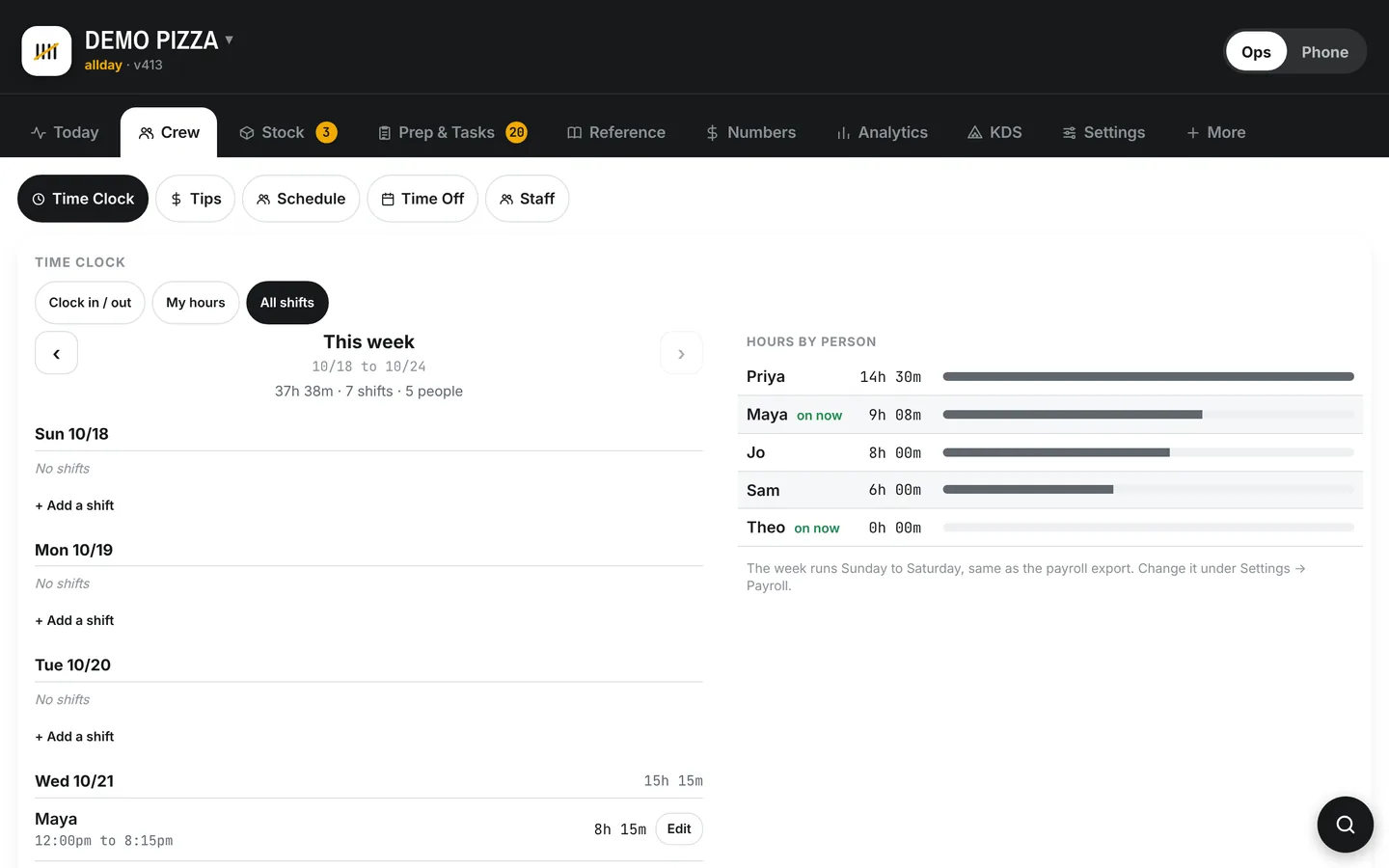
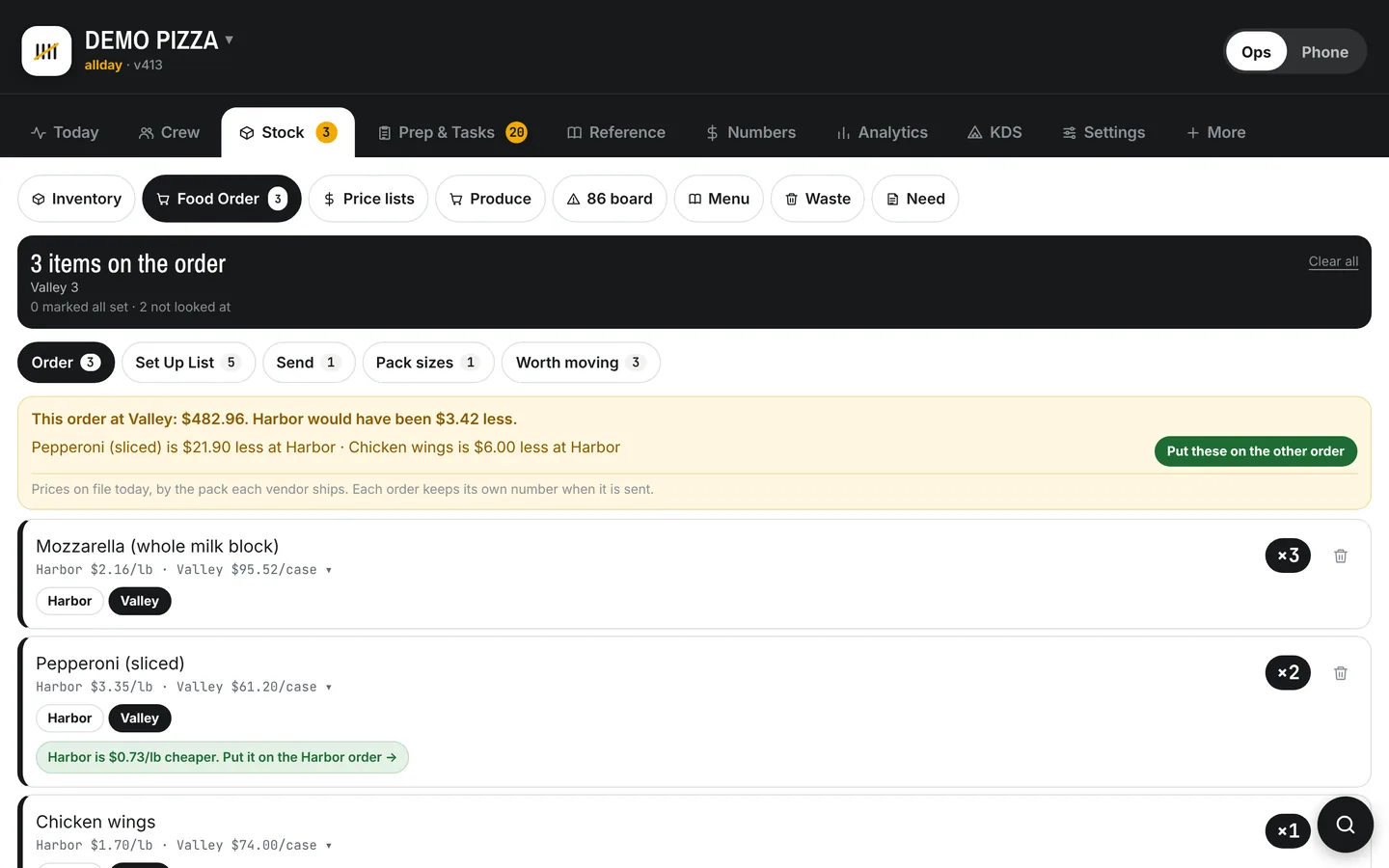
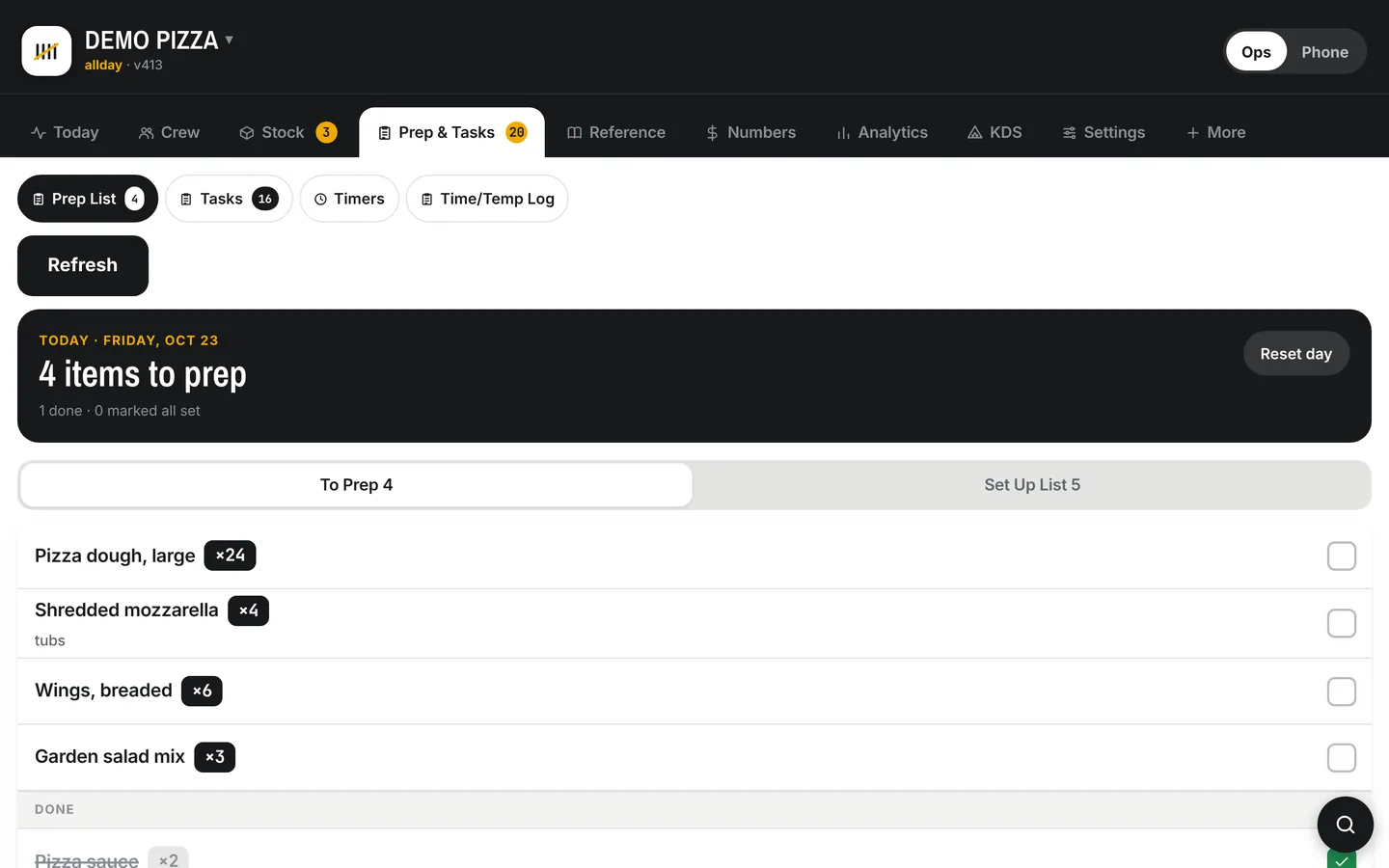
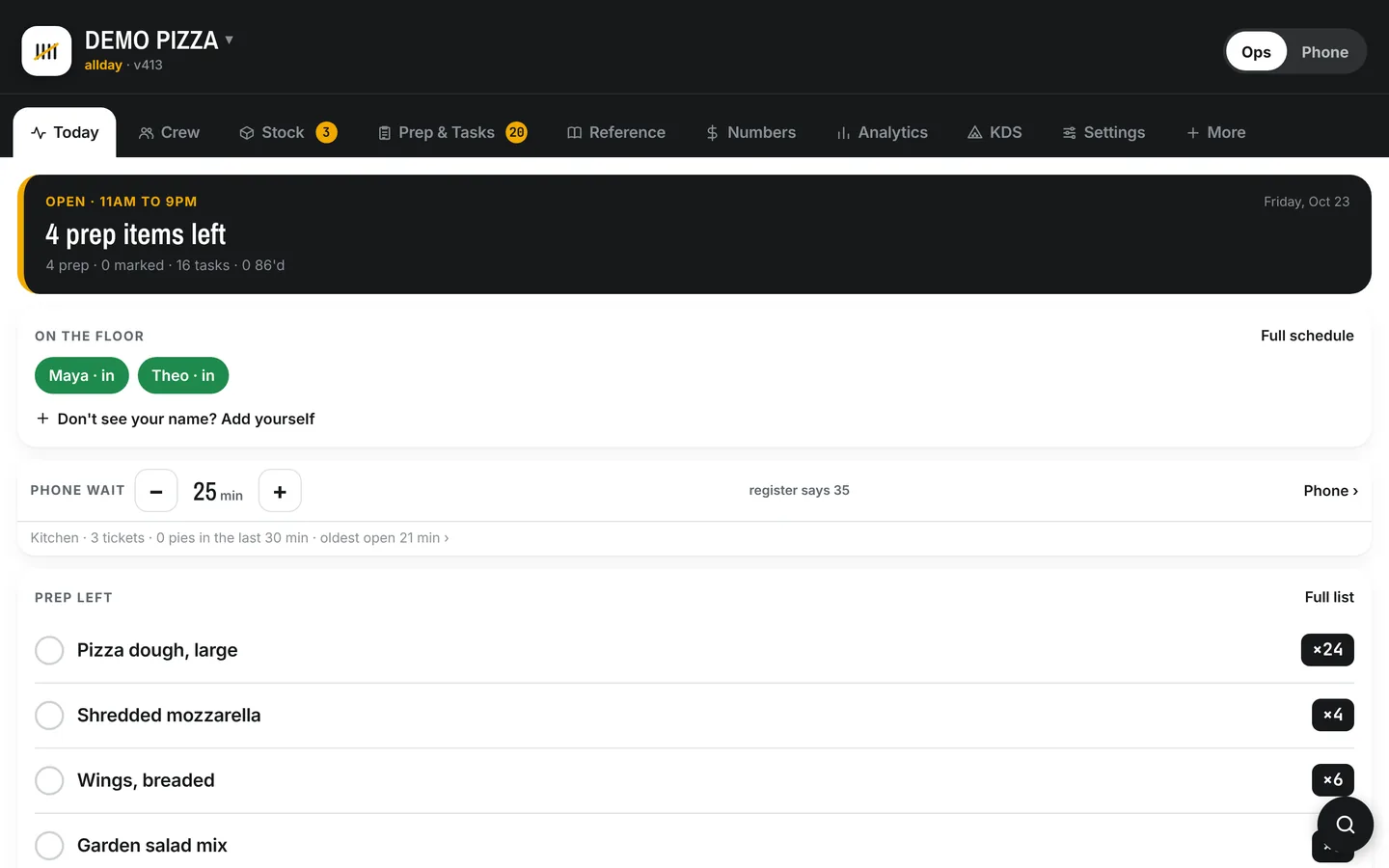
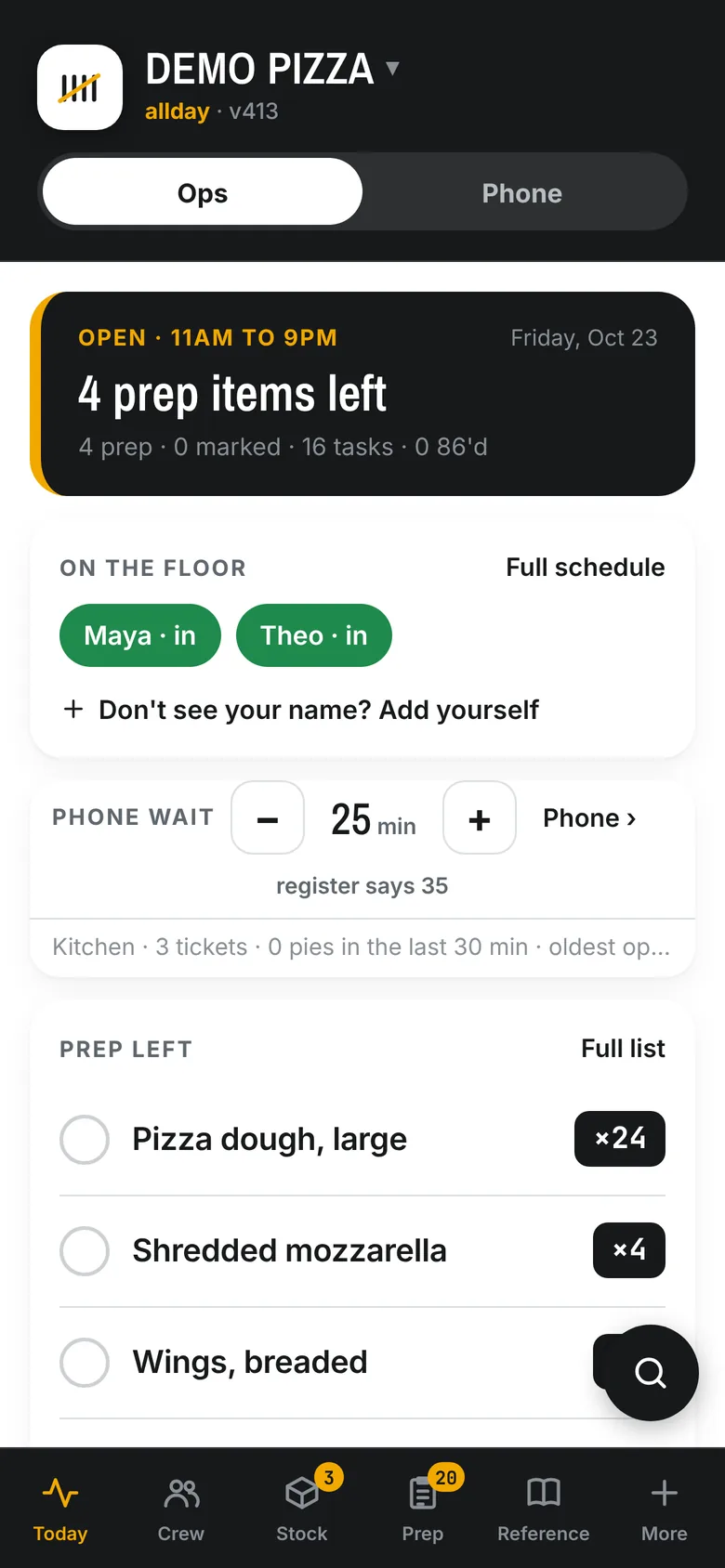
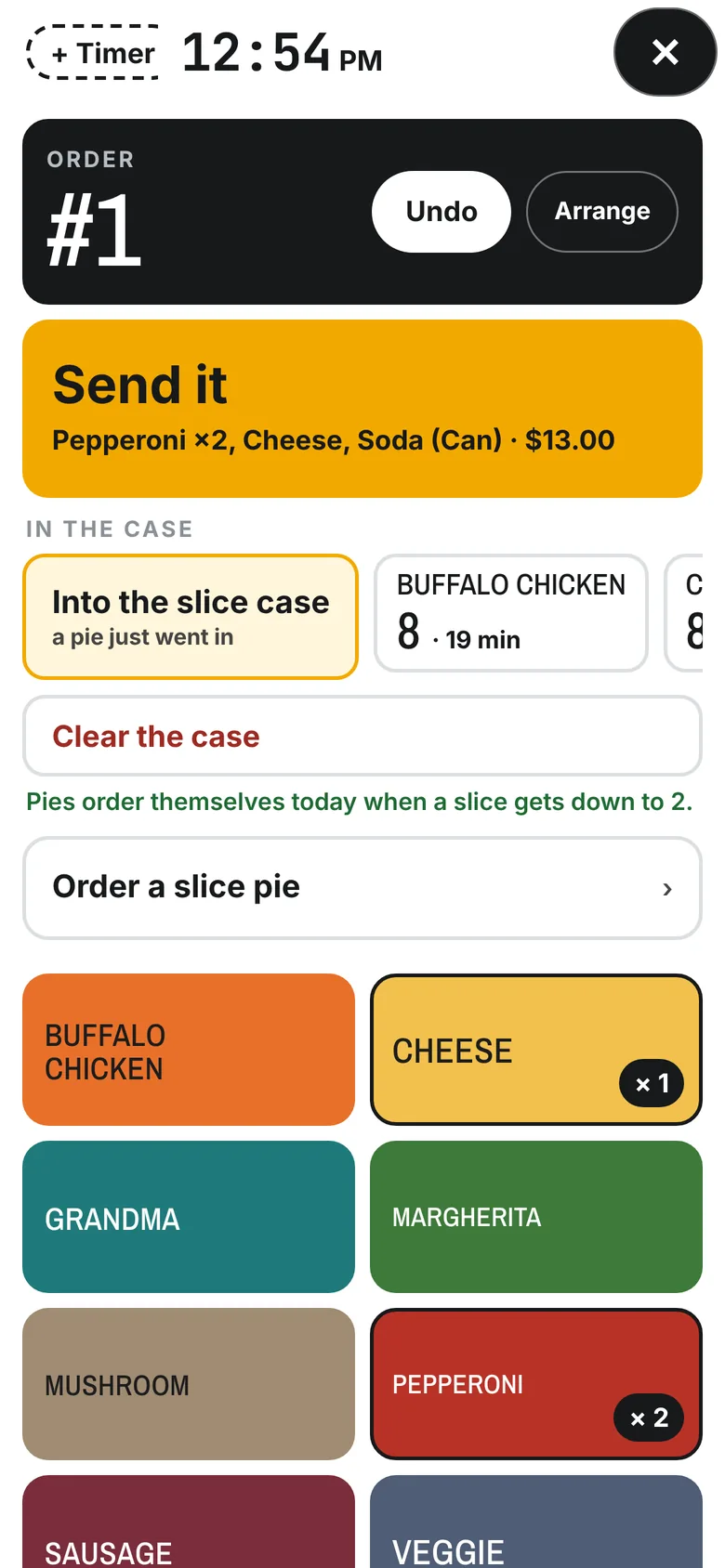
Swipe for more. These screens show a sample shop with made up names.
Say it once. It ends up on the wall.
The thing you explain to every new hire is in your head, not on paper, because writing it down is a Sunday job that never happens. Talk it out instead. Ramble at the app the way you'd tell a new kid at the bench, and it comes back as a clean recipe or a written guide with the steps in order. Print it as a poster and tape it above the station.
Ask the Manager answers the questions people ask you. "What did we pay for feta last month?" "Who's on Saturday?" "Add garlic knots to the need list." It can actually change things, and it knows who's asking: the crew tablet never sees prices, payroll or your notes.
| Step | Station |
|---|---|
| 1. Kill the fryer, let it drop under 200° | Fry |
| 2. Filter through the paper, not the screen | Fry |
| 3. Wipe the well, top off to the line | Fry |
| 4. Log the oil change on the tablet | Fry |
| Item | Price | |
|---|---|---|
| Garlic knotsOut until 4:00 PM | $6.00 | 86 |
| Large cheeseBeat the clock, Tuesdays | $14.50 | Special |
| Summer menuJune to Labor Day, +3% | Season | |
| All pizzasRaise 4%, round to .25 | Preview |
Your menu, controlled from one screen
Mark an item out until four o'clock and it comes back by itself. The phone, the order page and the kitchen screen all see it that second. Put a photo on an item, write a note the phone should know, turn a whole category off for the winter.
Price changes by percent, with rounding you pick, previewed before anything touches the register. A summer menu that switches on in June and off after Labor Day. A locals discount, a special, a Beat the clock night. Set once, sold everywhere.
Register cleanup reads your Clover and lists what's off: an item in two categories, a topping with no price for one size, a name that won't match the delivery apps. Fix it from the list, or let it.
What it finds on one Tuesday order
Every time you build an order, SoFire totals up what you're already saving by being on the right truck, and what you'd save by moving a few things.
Here's the part most software wouldn't bother with. A five pound loaf against a five pound loaf is a real comparison. A box of something against a case of it is not, and a number built on that is a number somebody made up. So it keeps them apart. Money it's sure about goes in the total. Anything it can't stand behind goes in a short list to look at, with one tap to settle it.
Prices come off your own invoices, so it's your shop's numbers, not a catalog. And no distributor pays to be the default.
| On this order | |
|---|---|
| Already on the cheaper side11 items, per pound where there's a weight | $31.40 |
| Move 4 items to Vendor BMozzarella, feta, pepperoni, tenders | $47.10 |
| If you move them | $78.50 |
Where it lives in the pricing
The crew side is in Line. The food, the prep and Ask the Manager are in Kitchen. Flat monthly, no fees per employee, no contract.
Line
The front of the shop.
plus $50 a month for each screen, kitchen or counter
- Online ordering, the kitchen screen, the counter
- PIN time clock, schedule, time off
- Tip splitting and per person tip reporting
- The payroll file for RUN
Kitchen
Everything in Line, plus the back of the house.
plus $50 a month for each screen, kitchen or counter
$500 setup, done for you
- Everything in Line, and
- Prep lists, tasks with a day, the shift handoff
- Stock, vendor price comparison, the food order, invoice scanning
- The Menu screen, the waste log, the 86 board
- Ask the Manager, guides and recipes, walk in sensors
Set up the way your shop runs
No two pizza shops work the same way. Your sizes and half and half rules, your delivery area and fee, what the phone says when it picks up, how long a pie sits before it's tossed, who's allowed to change a price. Each of those is a setting in SoFire, and there are a lot of them for exactly that reason.
You don't have to dig through them. We go over your shop with you and set it up before your first shift on it. After that, call or text Chris directly. During the day you'll usually hear back right away. After hours, text if something is broken. It isn't round the clock, but someone will see it and get back to you fast.
Something you need that isn't here?
Tell us. Chris reads every request. If it would help a shop run better, it goes on the list, and plenty of what's in SoFire today started as somebody asking. If it only fits one kitchen, he'll tell you so and help you find a setting that gets close.
An owner firstChris runs a pizza shop, and that's whose side he's on. He decides what gets built, and the team builds it.
Vendor neutralNo distributor pays to be the default. The comparison shows whoever is cheaper.
Book a one on one demo
Fifteen minutes on a screen share with Chris and his own shop.
Pick the thing that eats the most of your week and we'll start there.
- See the price comparison on real invoices
- Watch a tip night take thirty seconds
- Ask whatever you want, get a straight answer
- If it fits, we set you up. If it doesn't, you'll hear that too.